
CIDR vs Subnet Mask Explained With Real Examples
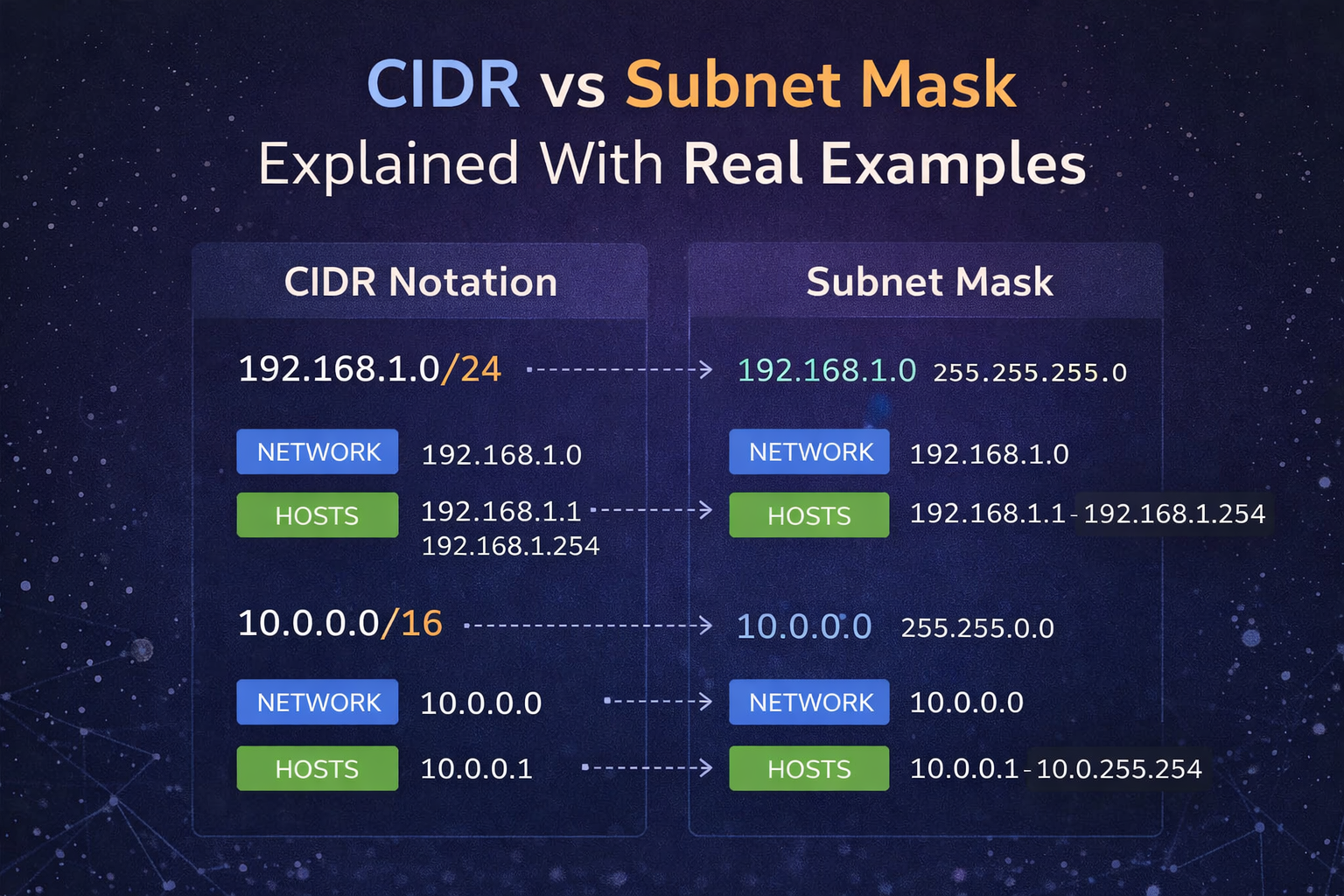
CIDR and subnet masks are two ways of expressing the same network boundary. That sounds simple, but this is exactly where a lot of people get stuck when they move from “I kind of recognize /24” to actually planning subnets, checking host ranges, and reading firewall or routing configs without guessing.
One concept, two formats
/24means 24 network bits255.255.255.0expresses the same boundary in mask form
The important thing to understand is that these are not competing systems. They are two ways of describing the same split between network bits and host bits.
The practical question is not which format is more “correct.” The practical question is whether you can translate between them quickly enough to plan and troubleshoot networks correctly.
Common examples
/24=255.255.255.0/26=255.255.255.192/30=255.255.255.252/31=255.255.255.254/32=255.255.255.255
Use Subnet Calculator when you want the full range, broadcast, wildcard mask, and host counts without doing everything manually.
Why people get confused
The confusion usually comes from switching contexts:
cloud dashboards often show prefix length like
/27older networking material often uses dotted-decimal masks
firewall rules may use wildcard masks instead
vendor docs may mix all three in the same explanation
So the issue is not usually math first. The issue is translation speed and confidence.
Real example: /26
Take 192.168.10.34/26.
What does that tell you?
subnet mask is
255.255.255.192block size is
64the available blocks in the last octet are:
0-6364-127128-191192-255
Since 34 falls into 0-63, the subnet is:
network:
192.168.10.0broadcast:
192.168.10.63usable range:
192.168.10.1 - 192.168.10.62
That is the kind of reasoning you want to be able to do, even if you still use a calculator for speed.
Real example: /30
Take 10.0.5.13/30.
The subnet mask is 255.255.255.252, which means block size 4 in the last octet. The ranges are:
8-1112-1516-19
Since 13 falls inside 12-15, the result is:
network:
10.0.5.12broadcast:
10.0.5.15usable hosts:
10.0.5.13and10.0.5.14
This is why /30 is common on very small routed links.
Why this matters in real work
You need this translation when:
planning VLANs
writing firewall rules
validating point-to-point links
allocating host ranges
reading vendor docs that use one notation while your system uses another
If you do not understand the translation, you end up making mistakes like:
assigning a host outside the usable range
putting two point-to-point links in overlapping space
using the wrong wildcard mask in an ACL
assuming
/31behaves like a normal LAN subnet
Common mental shortcut
If you are trying to work fast, a useful shortcut is:
turn the prefix into a mask
find the interesting octet
calculate block size as
256 - maskfind the block that contains your IP
That gives you the network and broadcast range without memorizing every scenario.
What to do next
If you need full subnet details, continue with Subnet Calculator. If you need DNS or ownership context for an IP afterwards, continue with DNS Records Lookup or WHOIS Lookup.
Admin User
Author