
What DNS propagation actually means
DNS changes don’t “spread” like a broadcast. What happens is:
Your DNS provider updates the authoritative records.
Public resolvers (Google, Cloudflare, ISP resolvers, corporate DNS) cache the old answer until TTL expires.
Your device and router can also cache results.
So propagation time is mostly {how long caches keep the old result}.
Use the tool right away: DNS Records Checker
What TTL actually does (in plain English)
TTL (Time To Live) is the number of seconds a resolver is allowed to cache a DNS answer.
• If TTL is 300, a resolver can reuse that answer for up to 300 seconds.
• Lower TTL usually means changes are picked up faster.
• Lower TTL also increases DNS query volume, but during migrations it’s usually worth it.
One important detail: if a resolver cached your record when TTL was high, then later you reduced TTL, it may still keep the old answer until the original cached time runs out.
The correct way to check propagation (step-by-step)
Step 1, check the exact record you changed
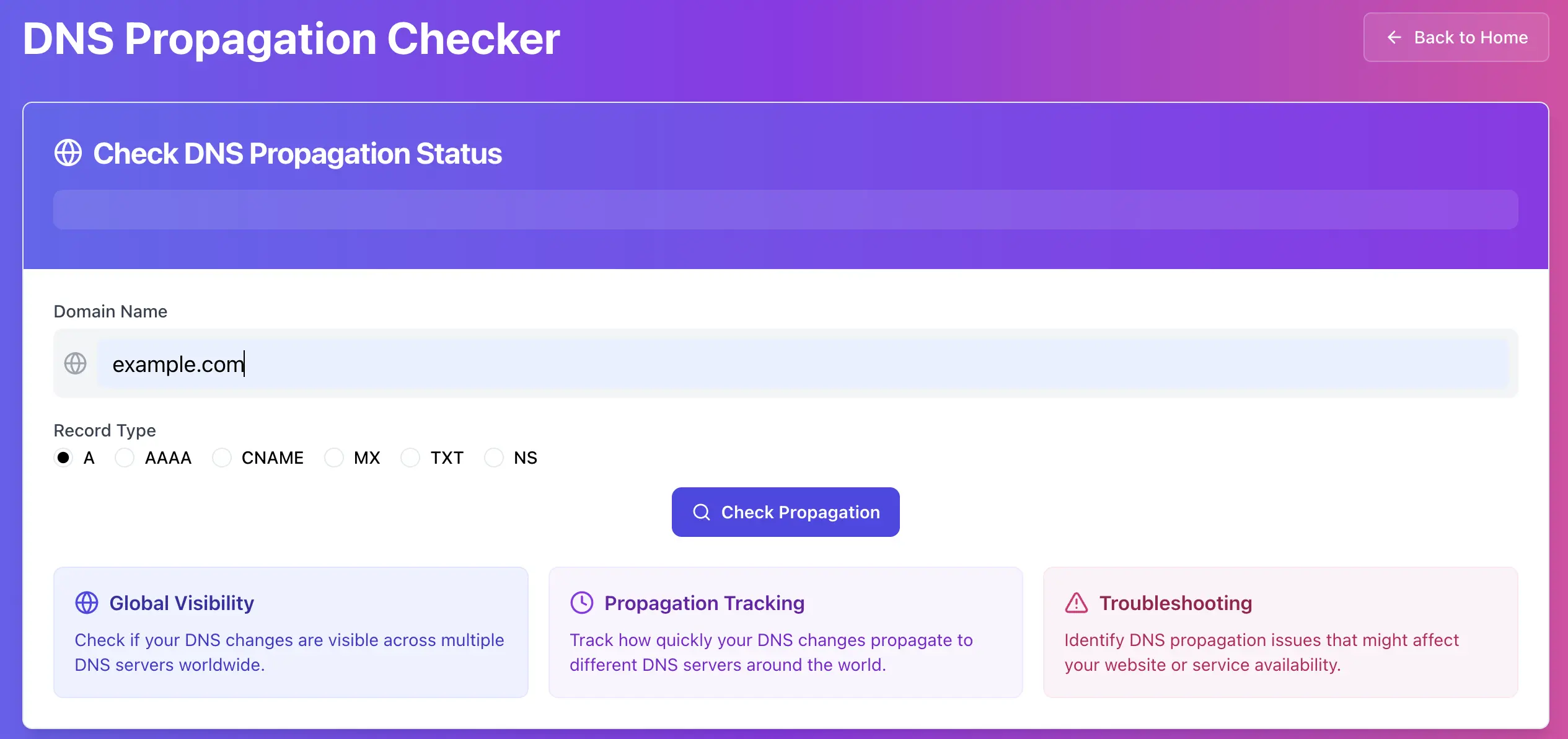
Open your DNS Records Checker and run the lookup using the same record type you edited.
• If you changed an IP address, you probably need A (IPv4) or AAAA (IPv6).
• If you pointed a hostname to another hostname, you probably need CNAME.
• If you changed mail settings, you likely need MX and TXT.
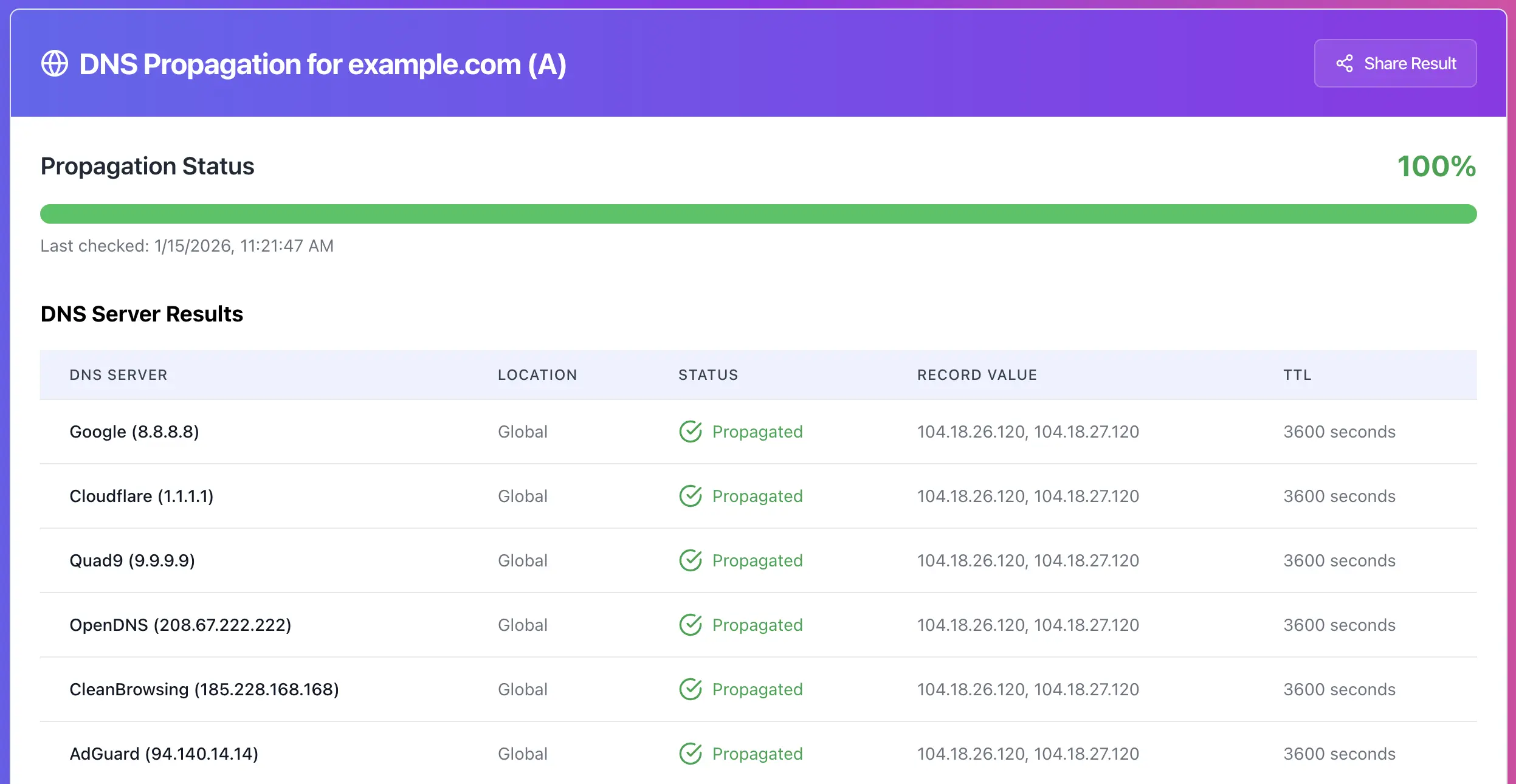
Step 2, compare multiple resolvers (this is where you see “propagation”)
If your tool shows results from multiple resolvers, look for mixed answers, this indicates caching in progress.
Example pattern:
• Some resolvers show old IP
• Some resolvers show new IP
If you see mixed answers, you’re not “broken”, you’re waiting for caches to expire.
6 reasons DNS propagation “looks broken”, and what to do
1) You changed DNS in the wrong place
This is the #1 mistake. You might be editing records in one dashboard, but the domain is actually using different nameservers.
What to check
• Which nameservers are active for the domain.
• Are you using the registrar’s DNS, Cloudflare, your hosting DNS, or something else?
Fix
Update records in the authoritative DNS provider that matches the active nameservers.
Optional helper tool: https://networkwhois.com/whois
2) You have a record conflict (CNAME blocks other records)
If www is a CNAME, you generally cannot also set an A record for www at the same time.
What to check
• Query www for CNAME and A. If both exist, that’s a conflict.
Fix
Keep the correct one, remove the conflicting record type.
3) You’re testing the wrong hostname
You changed @ but you keep checking www, or you changed www but you keep checking the root domain.
Fix
Test both:
• example.com (root, @)
4) Proxy or CDN hides the origin behavior
If you use Cloudflare or another proxy, DNS might be correct, but traffic behavior can still look “unchanged” because the CDN is in front.
What to check
• Are you seeing CDN IPs instead of your origin IP?
Fix
Confirm the origin is correct, then validate CDN settings separately.
5) Your local network is lying (router, ISP DNS, corporate DNS)
Your laptop might resolve old results even when the internet is already updated.
Fixes
• Compare results using multiple resolvers in your tool.
• Test from mobile data to bypass your ISP or office DNS.
• Restart your router if it caches aggressively.
6) TTL was too high before the change
If TTL used to be 86400 (24h), resolvers can keep the old record for a long time. Lowering TTL after you change the record does not undo existing caches.
Fix
For planned migrations:
1. Lower TTL 24 hours before the change.
2. Make the change.
3. Confirm with resolver comparisons.
Fast troubleshooting flow
If the authoritative record is new, but some resolvers show old, it’s caching, wait until TTL expires.
If authoritative is still old, you edited the wrong DNS provider, or the change did not save.
If answers flip for hours and never settle, check for multiple DNS providers, split-brain zones, or conflicting record types.
Try it now
Run a live propagation check, compare resolver answers, and confirm TTL: https://networkwhois.com/dns-propagation
Admin User
Author