
How to Remove Empty Lines Cleanly, Without Breaking Paragraphs or Lists
Empty lines are rarely “empty” by accident. They usually come from copy-pasting between editors, exporting from spreadsheets, or collecting data from multiple sources. The problem is that removing blank lines aggressively can destroy formatting, especially when you’re dealing with paragraphs, config blocks, or readable logs.
This guide shows how to remove blank lines safely, with control.
Use the tool: https://networkwhois.com/remove-empty-lines
Step 1: Decide what “empty” means for your case
There are two types of “empty lines” in real data:
1. Truly empty lines
2. Lines that look empty but contain spaces or tabs
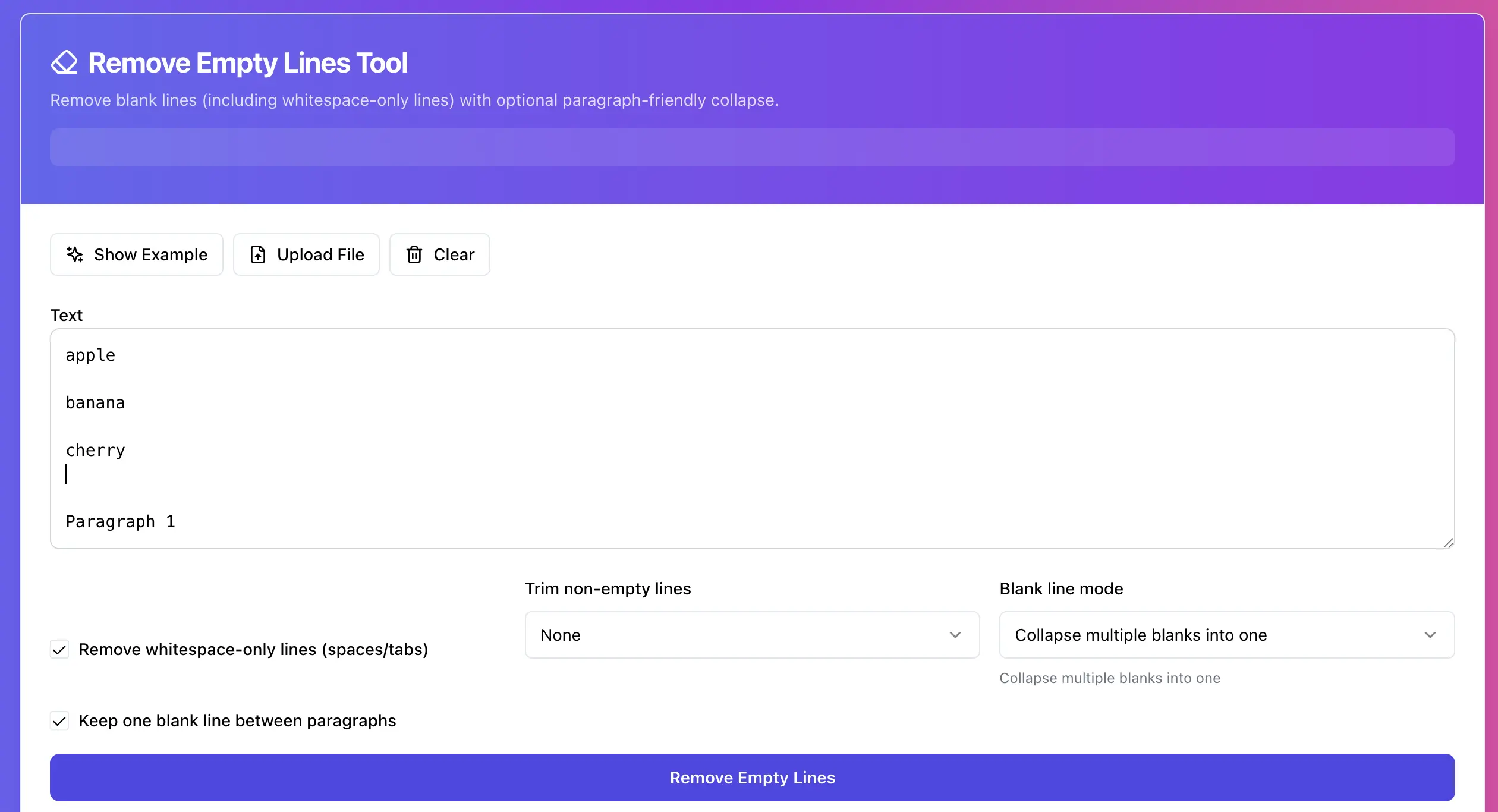
Your tool can remove whitespace-only lines if you enable that option. 
Example 1: Clean a simple list for import
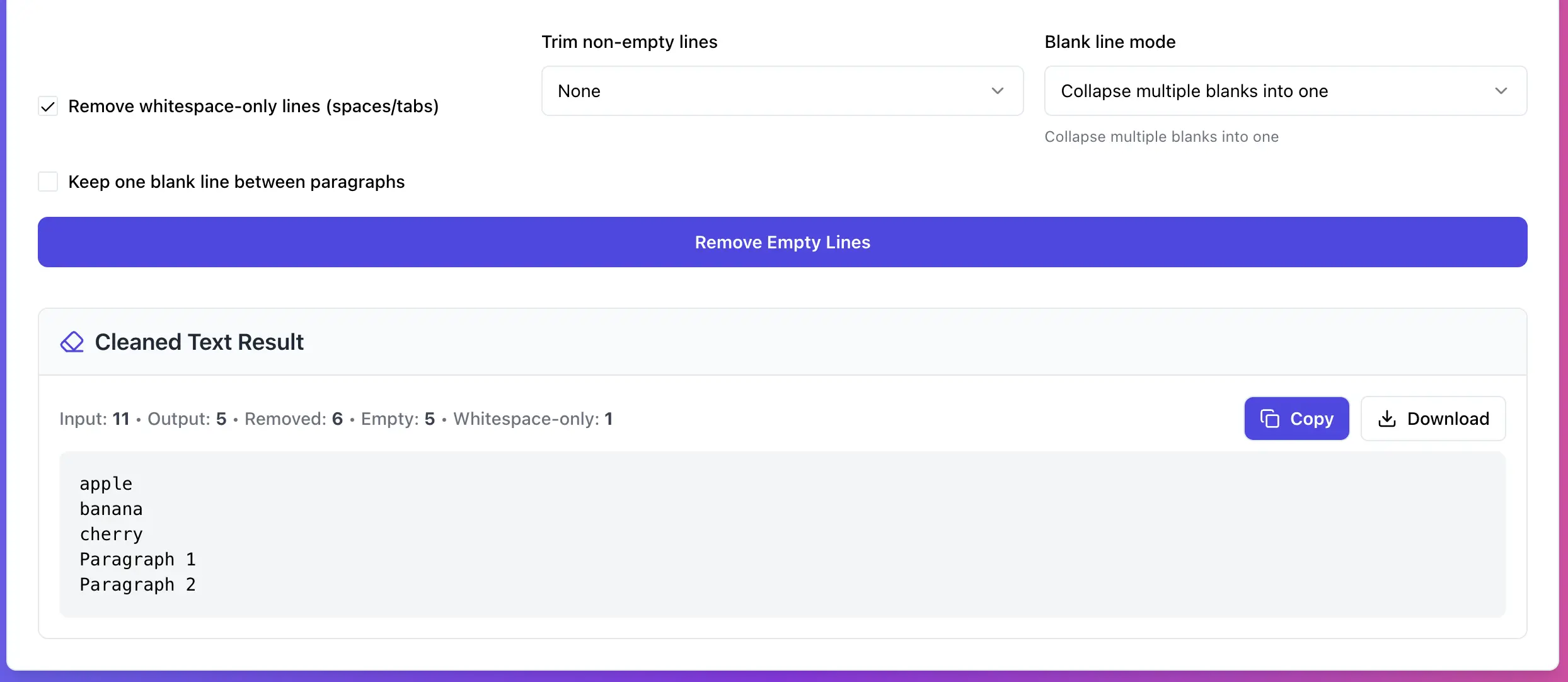
apple

banana

cherry


kiwi
What’s happening here:
• there are blank lines
• there’s a line that contains only whitespace
Enable:
• Remove whitespace-only lines (spaces/tabs) 
Choose:
• Blank line mode: Remove all empty lines 
Expected output:
apple
banana
cherry
kiwi
This is the exact format most importers want.
Example 2: Keep paragraphs readable, collapse extra blank space
Sometimes you don’t want a solid wall of text. You want to keep paragraphs, but remove the ridiculous gaps.
Input:
Paragraph 1 line 1.
Paragraph 1 line 2.


Paragraph 2 line 1.
Paragraph 2 line 2.
Instead of deleting all blank lines, use the paragraph-friendly mode that collapses multiple blanks to one. Your page describes this as a way to preserve paragraphs while removing extra empty lines. 
Expected output:
Paragraph 1 line 1.
Paragraph 1 line 2.

Paragraph 2 line 1.
Paragraph 2 line 2.
This is the difference between “cleaned” and “ruined”.
Example 3: Fix pasted logs without changing content order
Logs often contain weird spacing. The key rule here is: remove blank lines, never reorder.
Your tool removes or collapses blank lines and keeps line order. 
If your log lines have trailing spaces, enabling Trim non-empty lines can also remove invisible junk on real lines. 
Troubleshooting that actually helps
• “Blank lines are still there.” They usually contain spaces or tabs. Turn on whitespace-only removal. 
• “Output looks too tight.” Use the mode that collapses multiple blank lines to one so paragraphs survive. 
• “Line breaks look weird.” Copy/paste sometimes mixes CRLF and LF line endings. Paste again from a plain-text editor and retry.
Try it now
Remove empty lines cleanly, including whitespace-only lines, and keep paragraphs readable when needed: https://networkwhois.com/remove-empty-lines
Admin User
Author