
IP Blacklist Checker, How to Diagnose Email Deliverability Issues and Delist Safely
Email deliverability problems often start with a simple symptom, Gmail rejects messages, Microsoft 365 routes mail to junk, or your SMTP logs show sudden spikes in rejections. In many cases, the fastest reality check is whether your outbound sending IP is listed on a DNSBL or RBL.
This guide shows a practical workflow: confirm the sending IP, scan it against major blacklists, interpret the result, fix the root cause, then delist the right way.
Use the tool first: https://networkwhois.com/ip-blacklist-checker 
Step 1: Confirm you are checking the correct IP
Don’t guess the IP. Check the IP that actually sends mail.
Common cases:
• Your mail server is a VPS, it sends directly from that server’s public IP.
• You use a relay service, then the sending IP belongs to that provider.
• You have multiple outbound IPs, then different customers or domains may use different ones.
If you’re unsure, start from the mail hostname (MX or SMTP host), then resolve it to an IP using your DNS tools, and confirm the ownership context with IP WHOIS. 
Step 2: Run the blacklist scan
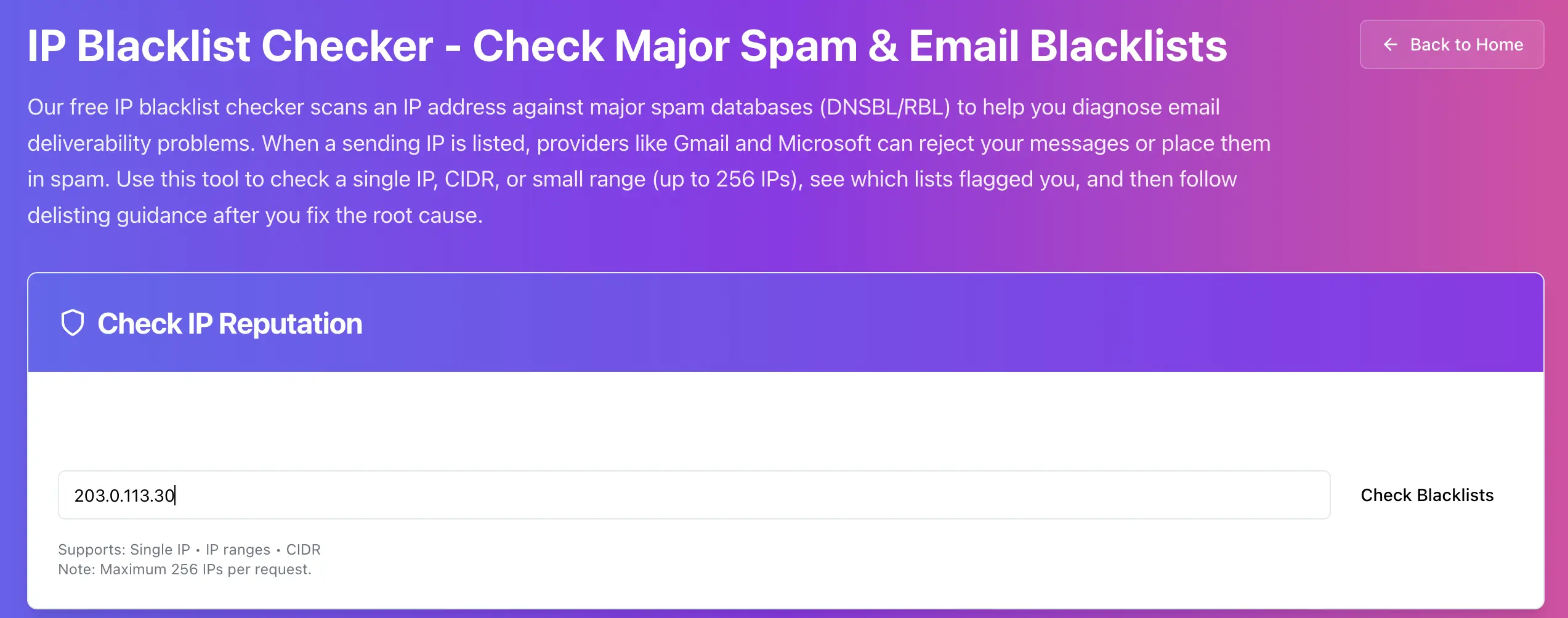
Paste the outbound IP and click Check Blacklists. Your checker supports single IPs, CIDR, and ranges up to 256 IPs per request. 
How to interpret the results without overreacting
Not all listings mean the same thing. Treat them like severity levels.
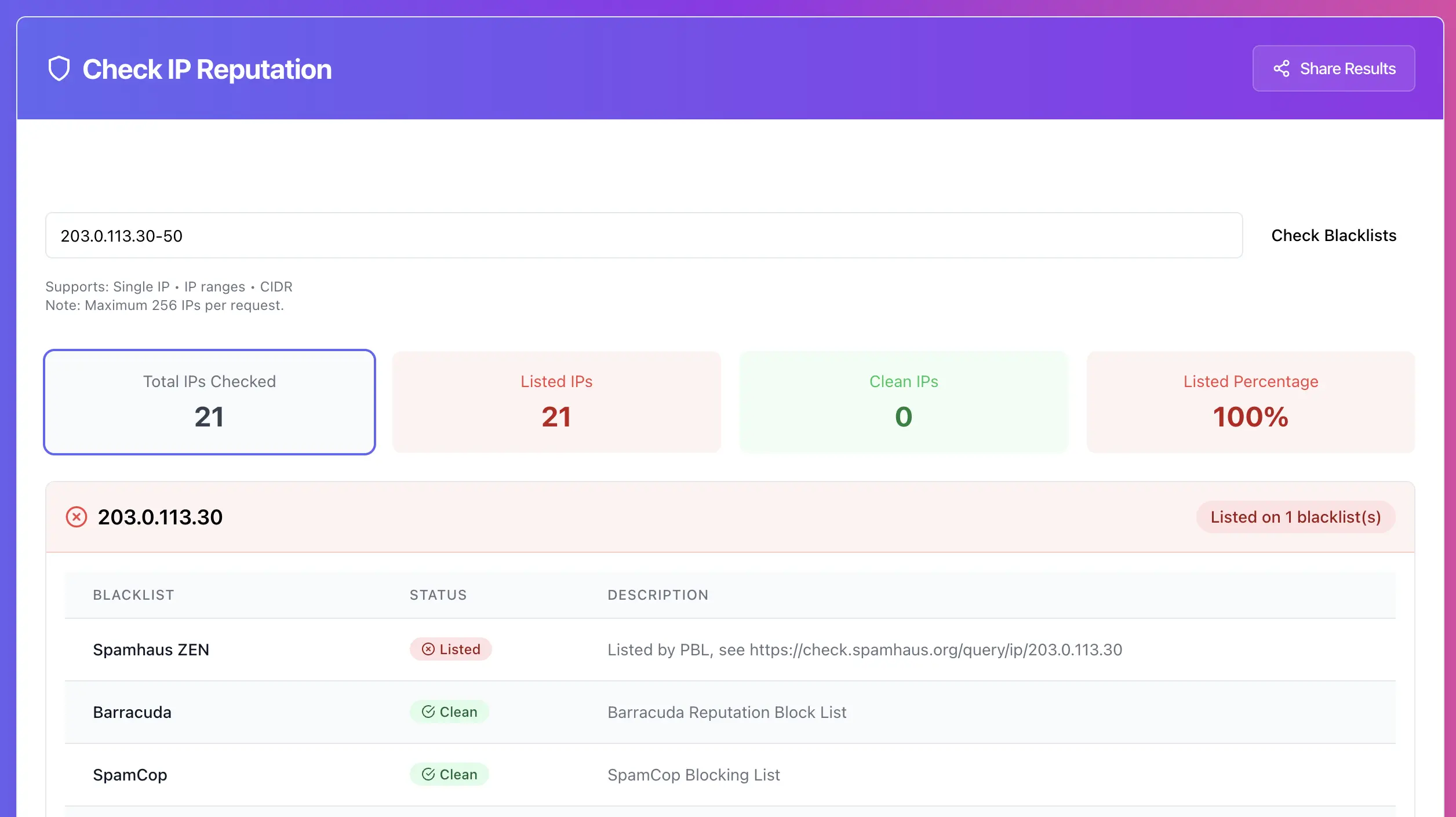
If you are listed on Spamhaus ZEN
This is usually the one that hurts fast, especially for outbound email. Prioritize it first. Your own tool copy calls out Spamhaus as critical. 
What to do next:
• Confirm you are not sending from a dynamic or residential range.
• Check for compromised accounts, web apps, or SMTP creds leaks.
• Confirm your reverse DNS and authentication are correct.
If you are listed on UCEPROTECT Level 2 or Level 3
Level 2 and 3 can reflect a network range or ASN-level issue, sometimes caused by neighbors. Your tool mentions this exact scenario. 
What to do next:
• If your own server is clean but the provider range is dirty, switching to a cleaner IP may be the fastest fix.
• Tighten outbound policies and rate limits.
• Contact your provider if the range is broadly impacted.
If only one smaller blacklist lists you
Don’t panic. Some lists are noisy. Still, treat it as a signal that something might be wrong, especially if you also see spam complaints or bounce spikes.
The root-cause checklist that actually fixes deliverability
Do this before you even think about delisting. If you delist without fixing cause, you’ll be listed again.
1) Stop outbound spam at the source
• Review mail logs and mail queue.
• Find the account, script, or app sending bursts.
• Reset credentials, rotate SMTP passwords, enable 2FA where possible.
2) Make sure you are not an open relay
• Require authentication for submission.
• Lock down port exposure and prevent unauthenticated relay behavior.
3) Fix the basics that providers expect
• Reverse DNS (PTR) must match your sending identity style.
• SPF, DKIM, DMARC must be correct for the domain you send as.
• Warm up sending volume after cleanup.
Delisting, do it like you want the listing to stay gone
Once you’ve fixed root cause:
1. Follow the blacklist’s delisting process, some are auto-expire, others require a request. 
2. Re-scan until clean.
3. Start sending slowly, don’t blast immediately. Your tool recommends gradual warm-up. 
Try it now
Scan the IP you actually send email from and identify which lists flagged it: https://networkwhois.com/ip-blacklist-checker
Admin User
Author