
IPv6 ping failing does not always mean the server is down
IPv6 is not “IPv4 with longer addresses”. The control plane matters more, ICMPv6 is part of normal operation, routing is easier to break, and many providers still have edge cases.
When ping fails on IPv6, you need to answer one question first: Is the address unreachable, or is ICMPv6 just not allowed? Everything else flows from that.
Use the tool first: IPv6 Ping Tool
Last tested: January 15, 2026
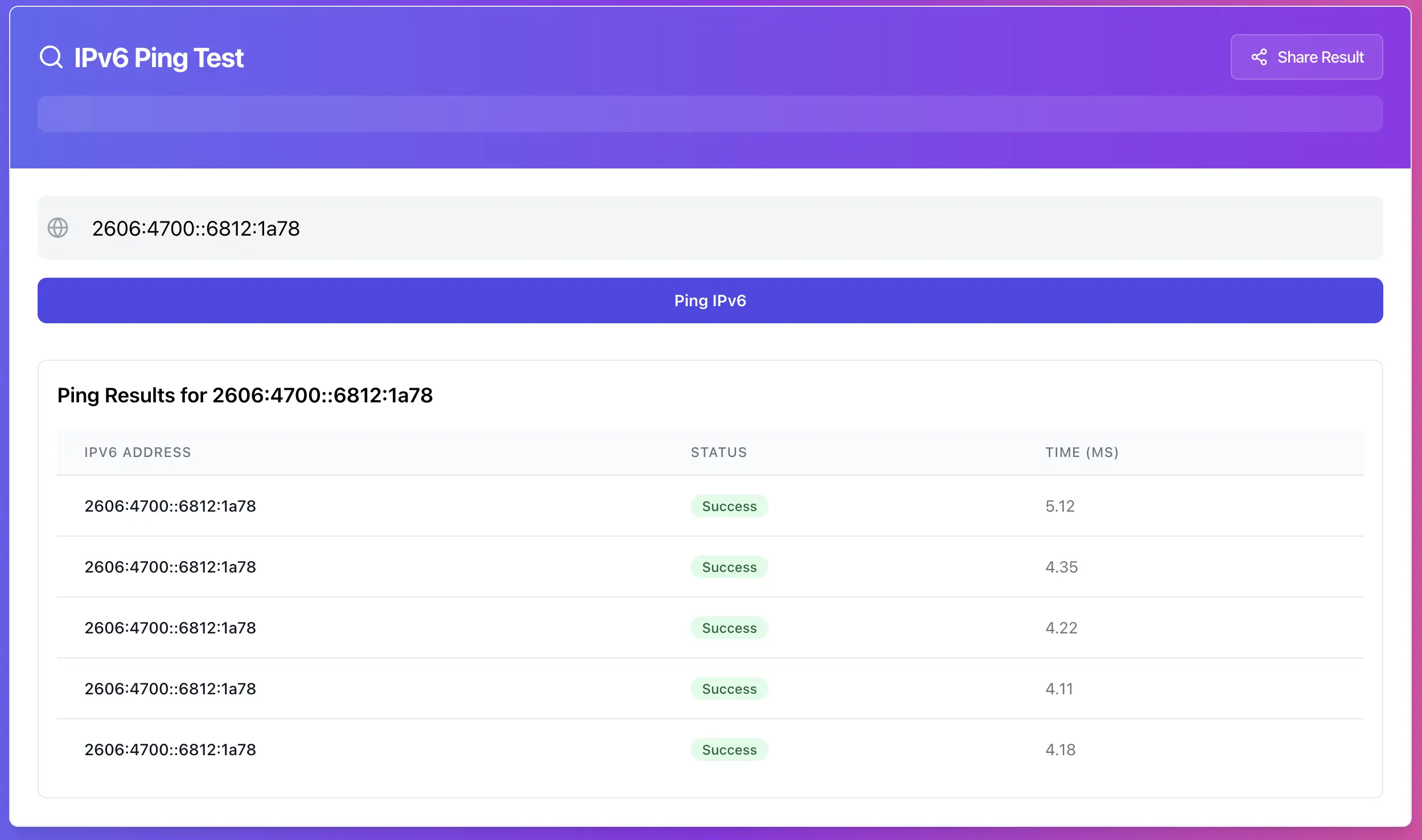
What IPv6 ping tells you, and what it does not
Ping is an ICMPv6 echo test. It tells you whether ICMPv6 echo-reply returns to the tester.
It does not prove that HTTPS works, SSH works, or that the service listens on IPv6. And the reverse is also true, a site can load fine over IPv6 while ping is blocked on purpose.
Treat ping as a signal. It’s useful for reachability and path quality, but it is not the same thing as “uptime”.
Step 1, run a baseline test and record the result
Run ping against the IPv6 you care about and write down:
• Does it reply at all
• Packet loss percentage
• Average latency
• Whether results are stable or jumpy
You want a baseline because later changes will make sense only if you can compare before and after.
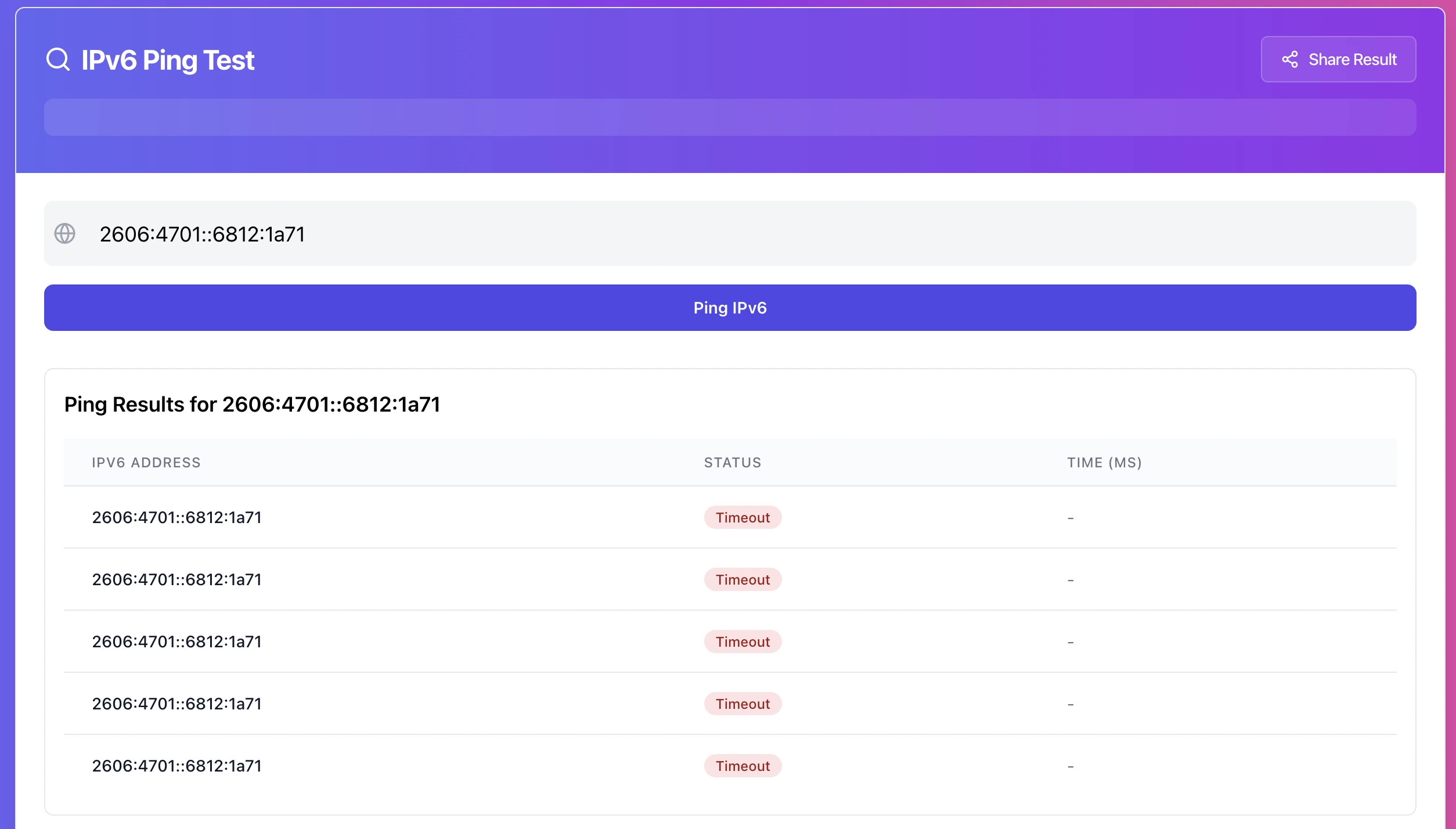
Step 2, classify the failure type
Most IPv6 ping failures fall into one of these buckets:
1. Hard fail: 100% loss from everywhere
2. Soft fail: intermittent replies, high loss, or spikes
3. Policy block: ping fails, but services still work reliably
4. Path dependent: works from some networks, fails from others
This classification saves time because each bucket points to a different layer.
10 real causes of IPv6 ping failure, and what to fix
1) ICMPv6 is blocked by a firewall or security group
This is the most common cause, especially on VPS and cloud setups.
Typical symptom
• 100% loss, no replies
• No other clear errors, just silence
Fix
Allow ICMPv6 echo-request and echo-reply at every layer:
• Cloud firewall or security group
• Host firewall (nftables, iptables, ufw)
• Any upstream filtering appliance
Also be careful with “block all ICMP” rules. On IPv6, blocking ICMPv6 can break more than ping. Neighbor Discovery and Path MTU Discovery rely on it.
2) The server has an IPv6 address but no working default route
You can have a valid address and still have broken routing.
Typical symptom
• No replies from anywhere
• Outbound IPv6 from the server fails too
Fix
Check the server’s IPv6 routing table and confirm:
• There is a default route via the correct gateway
• The gateway is reachable on the link
• The route survives reboot (netplan, systemd-networkd, ifupdown, provider scripts)
This is a classic issue when IPv6 is added manually and the gateway or prefix route is wrong.
3) The IPv6 is not actually bound to the network interface
Some panels show an IPv6 assigned, but the OS never applied it.
Typical symptom
• Ping fails forever
• The interface does not list the IPv6 address
Fix
Bind the IPv6 to the correct interface and make it persistent. If the provider requires a specific /128 assignment or a routed prefix, follow their exact model.
4) You are testing the wrong IPv6 address
During migrations, rebuilds, or provider changes, people often keep testing an old address.
Typical symptom
• Everything fails, but you are confident “it should work”
• Later you find a different active IPv6 in the panel
Fix
Confirm the current IPv6 from the server or provider dashboard, then test again. If you also publish AAAA records, make sure they match the active IP.
5) DDoS protection, rate limiting, or anti-scan policy drops ICMPv6
Some systems intentionally de-prioritize ICMPv6. Some networks drop it aggressively under load.
Typical symptom
• First few replies, then timeouts
• Unstable packet loss that changes minute by minute
Fix
Decide what you want:
• If you need ping for monitoring, allow or rate-limit it properly.
• If you don’t care about ping, stop treating it as a failure condition. Monitor TCP 443 instead.
6) Path MTU Discovery issues
IPv6 depends on PMTUD more than IPv4. If ICMPv6 “Packet Too Big” messages are blocked, you can get weird partial connectivity.
Typical symptom
• Ping may work, but large payloads or real connections hang
• Some clients work, others time out
Fix
Avoid blanket ICMPv6 blocks. Allow essential ICMPv6 types needed for PMTUD. If you manage a network firewall, make sure it is not dropping those messages.
7) The address is behind a load balancer, WAF, or edge that ignores ping
If your IPv6 points to an edge device, it may never answer ICMPv6, even when HTTPS is perfect.
Typical symptom
• Ping fails consistently
• HTTPS works consistently
Fix
Don’t “fix” what isn’t broken. Monitor the service port and use HTTP checks. Only enable ICMPv6 if your security posture allows it.
8) Asymmetric routing or broken return path
IPv6 routing can be correct in one direction and broken on the way back.
Typical symptom
• Some vantage points get replies, others never do
• Traceroutes look different per ISP
Fix
This is usually provider-side. Collect evidence:
• Exact IPv6 tested
• Time window
• Which networks fail and which succeed
Then open a ticket with the upstream provider. This is one of the few cases where “it’s not your firewall” is true.
9) Upstream connectivity is partial or inconsistent
Some ISPs and networks still have shaky IPv6 peering.
Typical symptom
• Works from mobile data, fails from office ISP
• Or works in one country but not another
Fix
Test from at least two independent networks. If the failures are network-specific, treat it as an upstream path problem. You can’t firewall-fix the internet.
10) The system is reachable, but what you really needed was service validation
This one is sneaky: you fix ping, but users still complain because the real problem is the service, not ICMPv6.
Typical symptom
• Ping replies fine
• Site does not load over IPv6, or only loads on IPv4
Fix
Verify the service listens on IPv6 and ports are open on IPv6 rules too. Many setups allow 443 on IPv4 but forget IPv6 rules.
A practical troubleshooting flow that works fast
Use this flow instead of random guessing:
1. Run ping to your IPv6 and capture the result
2. If it fails, test the same IPv6 from a different network or location
3. If it fails everywhere, focus on firewall and routing on the server side
4. If it fails only from some networks, suspect upstream routing or ISP path
5. If HTTPS works but ping fails, it’s likely policy, not downtime
Common mistakes that waste hours
• Treating ping failure as “server down” without checking service ports
• Blocking ICMPv6 broadly and breaking PMTUD
• Adding IPv6 without configuring routing correctly
• Publishing AAAA records that point to an old server
• Assuming one network test equals global reachability
Try it now
Test your server’s IPv6 reachability and watch packet loss and latency changes as you apply fixes: https://networkwhois.com/ping-ipv6
Admin User
Author